WP Consent API and GetTerms

What is WP Consent API and how does it help you keep your WordPress website compliant?

We’ve just pushed our biggest update yet. Here’s everything you need to know!
If you’re short on time, here’s a snapshot of what’s new.

Terms & Conditions v2We’ve completely rewritten our terms with 30+ new clauses and over 100 new provisions, including all-new content for ecommerce, mobile apps, and SaaS. Switch when you’re ready |
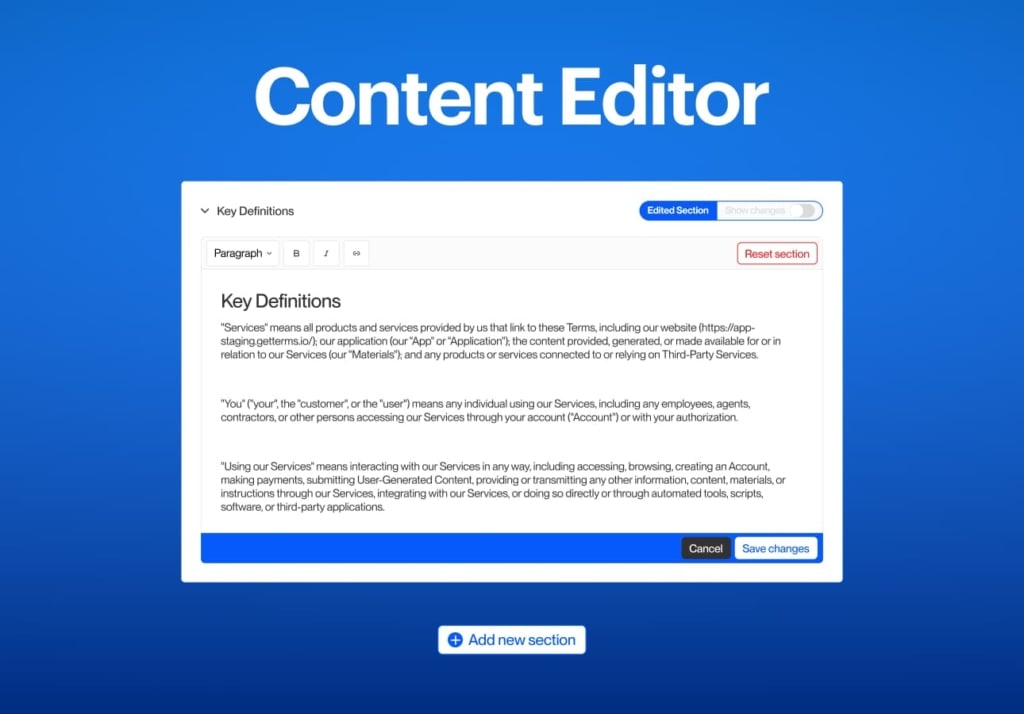
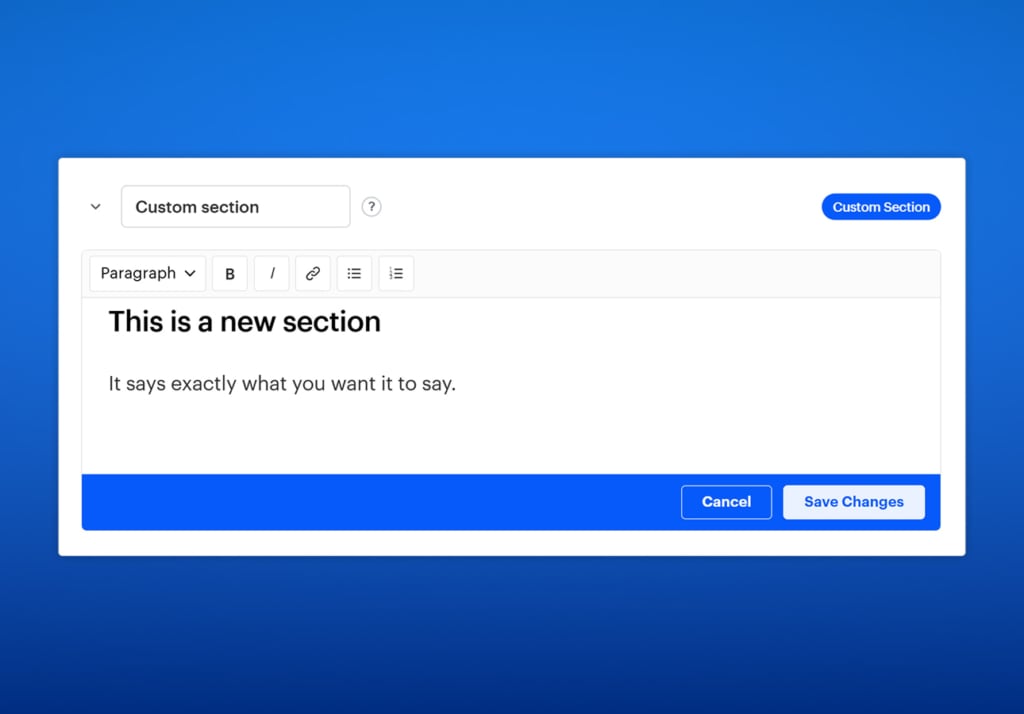
Custom content editorYou can now customize the content of any of our generated policies down to the letter. Rewrite existing content or add your own titled sections to any of your policies, in any language. |
||||
Speed improvementsYour cookie banner now loads 85% faster, bringing the average impact on page load times below 3%. |
<iframe> blockingBlock cookie-setting iframes, like YouTube and Google Maps embeds, until users consent to their purposes. |
UET consent modeMicrosoft UET consent mode joins our list of integrations alongside Google Consent Mode, Clarity API, and more. |
|||
Site storage detectionOur cookie scanner now detects local storage, IndexedDB, and more, extending our banner beyond cookies. |
Policy version historyTry policy updates before publishing them to your site, and roll back to previous versions with policy version history. |
Quebec settingsYou can control your cookie banner’s behavior for users located in Quebec for more targeted compliance. |
|||
This update has been months in the making, and it took the combined effort of lawyers, translators, developers, designers, and product specialists. Even with that many eyes, things get missed.
If you come across a bug, a translation error, or an improvement you think would benefit other customers, reach out to [email protected] and we’ll address it as quickly as we can.
Try the new updates today!
Log in to GetTerms
We’ve completely rewritten the content behind the terms and conditions generator, replacing it with a larger set of terms that covers more business types.
That’s entirely up to you! Your existing terms will keep working exactly as they are until you choose to update. If you switch and find the new terms don’t suit you, you can revert to your old terms of service using our new version history functionality.
Before you update to the new version of our terms, save a copy of any custom content you added to your old terms of service. The new version contains none of the fields from the previous version, so custom content won’t be carried over automatically. You’ll be able to re-enter it using our new custom content editor (more on that below).
More than 30 new clauses and over 100 new provisions, including all-new content for ecommerce stores, mobile applications, and SaaS products. The new provisions address:
You can now tailor the content in your policies down to the letter and add entirely custom sections. Edit all translations independently, with the plan being to add custom languages in a future update.
If you added custom content to your old terms, this is its new home.
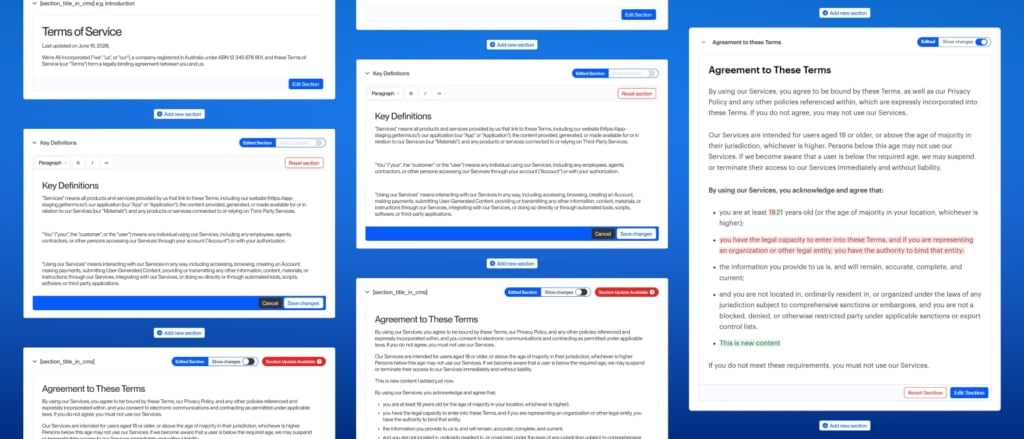
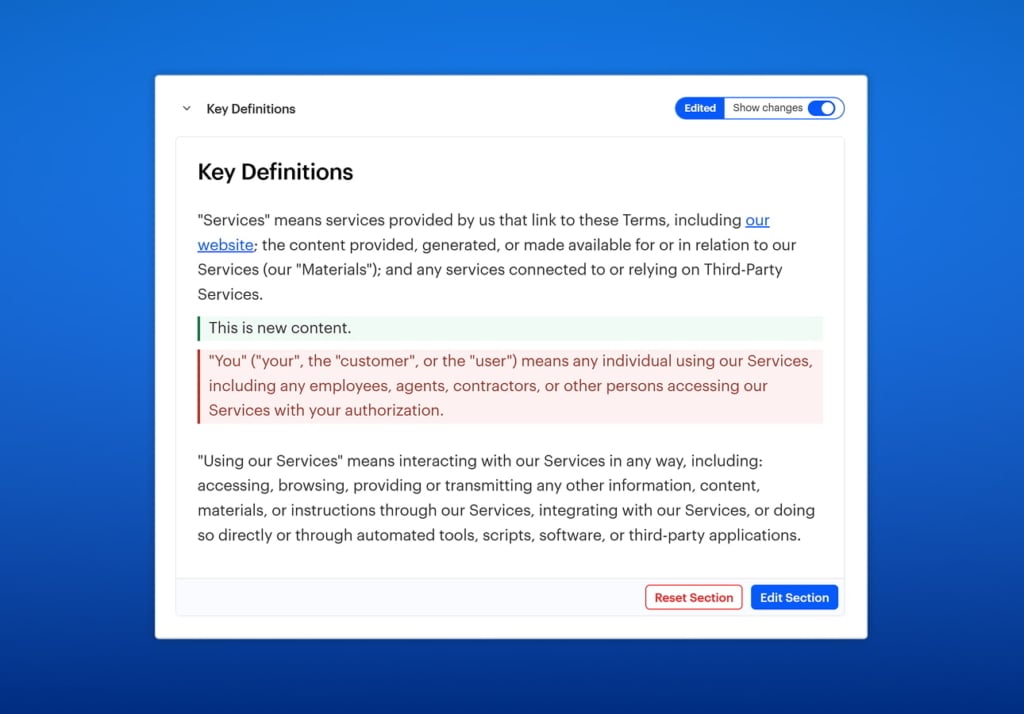
Once you’ve edited content, you can toggle ‘show changes’ and compare the original generated content to your own.
If your business or industry requires specific provisions, you can now add this content to your policies with custom sections. This gives you the freedom to place your custom content wherever you like.
We’re all about keeping things simple, and we plan to keep it that way. However, behind the scenes, every new feature or integration adds a little complexity, and recently that came with a little… speed degradation.
The thought of your site failing a PageSpeed Insights audit was keeping us up at night, so we optimized our banner delivery pipeline and your banner is now 85% faster. We hope you’re happy with the results!
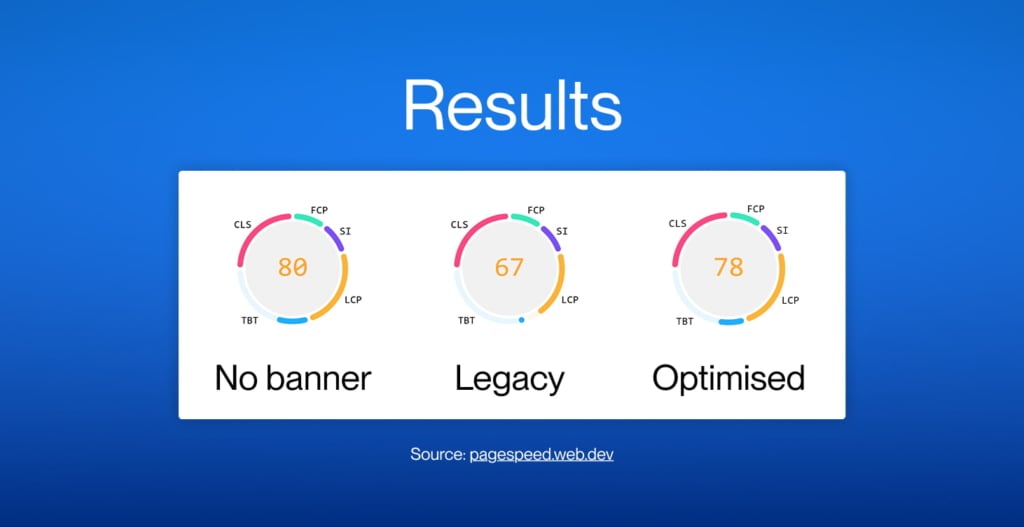
You should, but it isn’t required*. This update is backward compatible and your current banner will still work, but you won’t experience your banners final form until you update it to the latest version.
The steps for updating your banner depend on how you’ve currently installed it.
If you’re using our WordPress plugin to install your cookie banner, you’ll just need to log in to your WordPress dashboard, leave us a five star review on the plugin directory 🥺🙏, and update the plugin to the latest version 1.4.
If you haven’t used our plugin before, here’s instructions for installing it.
If you’ve embedded our banner script directly into the <head> of your website, you’ll need to replace your old script with the new one. You’ll find it on the cookie banner installation page of your GetTerms dashboard. It’s a little bigger than before, but don’t let that fool you, it’s very fast.
Note: For those using this method on WordPress websites, the new recommended installation method is via our WordPress plugin.
If you’re using our Google Tag Manager tag template to install our banner (not recommended), you just need to update to the latest version of our template.

Embeds like YouTube videos and Google Maps often load as iframes, and in many cases those iframes set cookies in your users’ browsers. The challenge with iframes is that they’re a Pandoras Box: There’s no way to know what they contain, and once open, there’s no putting their contents back inside – i.e. once they load, the cookies get set. For compliance, they need to be blocked preemptively until the user has consented to their purposes.
To set this up, you’ll add or edit a few attributes within each iframe on your website so the banner can block them as required. iframes without a data-getterms-* attribute won’t be blocked: only iframes with these attributes are managed by the consent banner.
You’ll find installation instructions on the cookie banner installation page of your dashboard.
Microsoft UET Consent Mode joins our list of integrations alongside Google Consent Mode v2, Microsoft Clarity API, WP Consent API, Shopify Customer Privacy API, and more. You can enable this via the configuration page of your dashboard.
Microsoft UET Consent Mode lets you adjust the behavior of Microsoft UET cookies based on your users’ consent status, which enhances the privacy capabilities of UET and gives you control over whether first-party and third-party cookies are stored. For UET Consent Mode’s purposes, first-party cookies are those created by the advertiser domain (your website), and third-party cookies are created by Microsoft Advertising (Bing.com).
You can now provide a legal entity or parent company name so that it can appear in your terms.
You can also give client websites display names so they’re easier to spot in your dashboard. If you manage several compliance packs for clients, this one’s for you.
Your policies now keep version history. See past versions, roll back to an older one, or update to the newest. It’s the same safety net that lets you try the new terms and conditions generator updates we release without committing.
See which users made updates to your compliance packs and which settings they adjusted. Handy when more than one person has access to a policy pack.
The cookie scanner now detects local and session storage, IndexedDB, and service workers alongside cookies, so you can give your users more information about what your site stores beyond cookies alone.
You can now set your cookie banner’s consent behavior for users in Quebec, without affecting the experience of users other regions of Canada. Quebec’s Law 25 requires opt-in consent before non-essential cookies are placed, a stricter standard than the rest of the country, so your banner can now match each region accordingly.
If your site runs a strict (nonce-only) Content Security Policy, the cookie banner now supports it. Installation instructions for this are on the installation page of your dashboard.
You can now move the persistent preferences icon (the floating button that re-opens your consent modal) so it doesn’t fight with other floating buttons, like chatbots and accessibility widgets.
What is WP Consent API and how does it help you keep your WordPress website compliant?

What is GDPR and why should you care? The General Data Protection Regulation (GDPR) is a comprehensive European Union data…