What our scanner finds
Our scanner finds anything your website stores on a visitor's device, or shares with a third party.
HTTP Cookies
An HTTP cookie is a tiny data file saved onto a user's browser by a website or a third-party service, used to identify and remember that browser. The browser automatically attaches its contents to every network request made to the domain that set it, which is how a site keeps someone logged in, and how a service embedded across many sites recognizes the same browser on all of them.
IndexedDB & local storage
Data entries saved directly into the local storage of a user’s browser. Like cookies, local storage and indexedDB entries persist between sessions, and can be used to identify a browser. Unlike cookies, their contents aren't sent to a server with every request. Because of this, they can be used to store larger amounts of data without using server bandwidth.
Tracking pixels
A tracking pixel is a tiny image or script embedded in a page, loaded from another company's server. Nothing is saved onto the user's browser. When a user requests the image it tells that company the page was opened, from which IP address, and any cookie they've already set on the user's browser. The same technique works in email, which is how open rates are measured.
Third-party requests
A third-party request is any call your website makes to a server that your business doesn't control. This could be for a font, a script, an embedded video or a banner ad. Even when nothing is stored, the request hands that company the user's IP address, their browser details and the page they were on. Every cookie and pixel depends on a request like this, which is why they're worth listing separately.
How the scan works
Every cookie scanner does roughly the same four things. We just do it a little more thoroughly and you get your results without handing over your email!
That’s all we need. No account, no email address, and nothing to install on your site.
Our scanner loads your pages in a real browser and runs the same scripts your visitors run. A scanner that only reads your HTML misses anything JavaScript sets, which today is most of it!
We find and log every cookie, local storage entry, IndexedDB record, tracking pixel and outbound request to another company’s server, including the ones that only appear once a script has finished loading.
We compare everything we found against our cookie database to work out who controls it, which platform set it, what domain it belongs to, how long it stays in the browser, and what it’s actually for. Anything not strictly necessary for your site to work is sorted into Functional, Advertising or Performance.
We give you a report that lists every cookie and tracker on your site under Essential, Functional, Advertising or Performance, each with the platform that set it and a plain description of what it does. It appears on this page, free, with no email required.


That’s all we need. No account, no email address, and nothing to install on your site.
Our scanner loads your pages in a real browser and runs the same scripts your visitors run. A scanner that only reads your HTML misses anything JavaScript sets, which today is most of it!
We find and log every cookie, local storage entry, IndexedDB record, tracking pixel and outbound request to another company’s server, including the ones that only appear once a script has finished loading.
We compare everything we found against our cookie database to work out who controls it, which platform set it, what domain it belongs to, how long it stays in the browser, and what it’s actually for. Anything not strictly necessary for your site to work is sorted into Functional, Advertising or Performance.
We give you a report that lists every cookie and tracker on your site under Essential, Functional, Advertising or Performance, each with the platform that set it and a plain description of what it does. It appears on this page, free, with no email required.
How to read your results
Cookie values
These values tell you what the cookie is called, which platform it belongs to , and what it does.
Cookie name
The cookie’s name or key, as it appears in the browser
Platform
The service that the cookies data is used for
Description
A description of what the cookie does
Retention period
How long the cookie stays in a user’s browser before being removed automatically
Cookie categories
A cookie’s category decides whether it can run automatically or must wait for consent.
Essential cookies
The cookie is strictly necessary for your website to perform it’s core functions and therefore doesn’t require consent
Functional cookies
The cookie is used for personalizing the user’s experience, but is not strictly necessary and therefore requires consent
Advertising cookies
The cookie is used to deliver your visitors targeted advertising on third-party platforms, but is not strictly necessary and therefore requires consent
Performance cookies
The cookie is used to measure your websites performance, but is not strictly necessary and therefore requires consent
Cookies that might not be detected by a cookie scanner
Our scanner reliably finds cookies and tracking scripts that set automatically. But, there are situations that can prevent cookies being found.
Cookies behind a login or a form
Some cookies are only set once a visitor follows a specific journey, such as logging into an account or reaching a checkout page. Simpler website crawlers like cookie scanners aren't capable of this level of interaction, and won't reach these pages, so these cookies won't appear in your report.
Cookies that only fire on interaction
Some cookies are set by third-party scripts that only run on specific triggers, such as the click of a play button on a video embed. If our scanner fails to trigger a script, any associated cookies won't be set, and consequently won't appear in your report.
Cookies that vary by visitor region
Some cookies are only set for visitors in particular countries, either because a tag is configured to fire regionally or because a script adjusts its behavior based on where the request comes from. Our scanner reaches your site from one location, so your report reflects what a visitor there would trigger, not what someone in another market would.
Cookies blocked by your cookie banner
If you've installed a third-party cookie scanner, it's going to treat our scanner like a user, blocking non-essential cookies until our scanner provides consent. Given our scanner isn't capable of providing consent with other cookie banners, those cookies won't be set and won't appear in your report.
What to do after running a scan
Once you’ve scanned your site, you’ll be given a report of all the ways your website stores data on a visitor’s device, or any time it shares user data with a third party. Next you’ll need to check whether these data processing activities come with legal obligations in your country.
Install a cookie banner on your website to block any cookies until you receive each user’s consent.
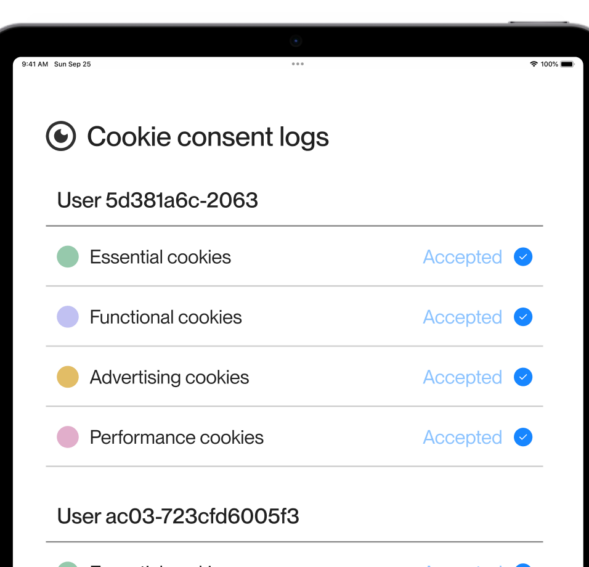
Use a Consent Management Platform to keep a record of what people choose.
Create a cookie policy for your website, to tell your users which cookies and trackers are active on your website.
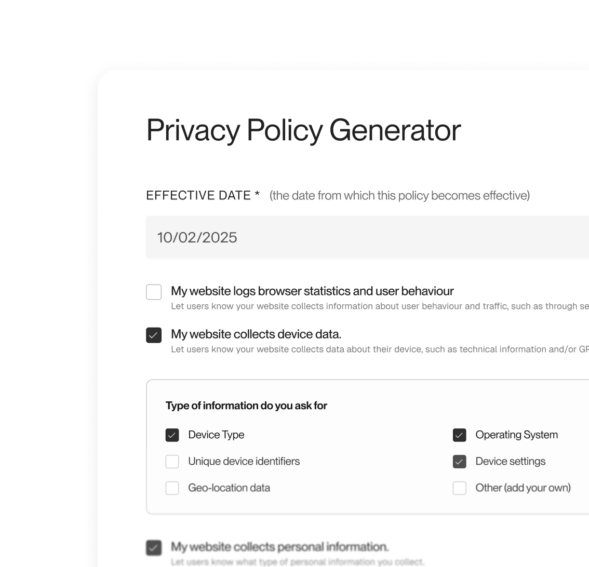
Create a privacy policy for your website, that informs your users about the types of personal data you collect about them, why you collect it, and how your business keeps it safe.
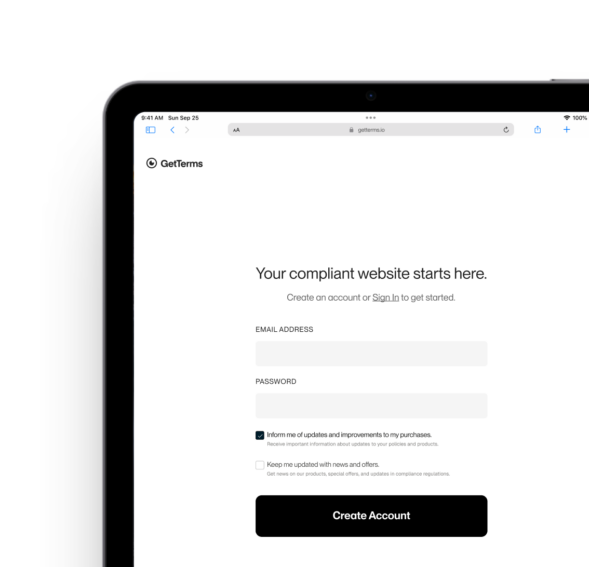
You can use an all-in-one compliance solution like GetTerms to meet all of these obligations. You can generate all of your legal policies and add a Google certified consent management platform and cookie banner to your website.
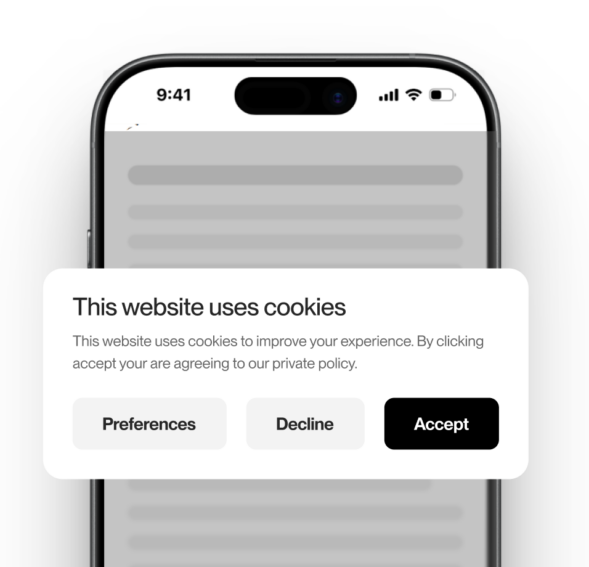

Install a cookie banner on your website to block any cookies until you receive each user’s consent.
Use a Consent Management Platform to keep a record of what people choose.
Create a cookie policy for your website, to tell your users which cookies and trackers are active on your website.
Create a privacy policy for your website, that informs your users about the types of personal data you collect about them, why you collect it, and how your business keeps it safe.
You can use an all-in-one compliance solution like GetTerms to meet all of these obligations. You can generate all of your legal policies and add a Google certified consent management platform and cookie banner to your website.
FAQs
A cookie scanner (sometimes referred to as a cookie checker tool) is a tool used to find and classify cookies and other tracking technologies hidden in a website’s code. Any cookies the scanner finds are analyzed, identified and classified in a report. Typically, the report categorizes the cookies as either essential cookies, or non-essential cookies.
Yes. No account, no email, no payment.
We suggest you scan your site once a month for new cookies, trackers, and scripts. This is because every time you add or update a plugin, embed a video or add a new marketing tool to your website, you’re adding new ways for your website to add cookies, storage entries, and tracking pixels or make outbound requests to third parties. Even the most relaxed privacy laws require you to disclose these data processing activities.
You can also use a tool like GetTerms which runs automatic monthly scans and adds any new cookies and trackers it finds to your privacy policy, cookie policy and cookie banner.
The most important thing to any cookie scanner is the accuracy and completeness of its outputs, which requires:
- Deep site crawling to find cookies that don’t fire on all pages.
- Support for tracker types beyond cookies, because local storage entries, tracking pixels and third-party scripts are all just as important.
- A large cookie database.
- Automatic categorization of trackers.
Yes, our scanner is designed to be user-friendly and accessible to all. You don’t need technical expertise to utilize the scanner and gain valuable insights into your website’s cookies.
Our cookie scanner will tell you the name of every cookie on your website, along with a description of what it does. It will also categorize each cookie as either essential or non-essential. You can use this to determine which cookies are non-essential thus requiring consent from your users before being used. This is essential for compliance with the GDPR, ePrivacy Directive and the CCPA.
This depends on the privacy regulations applicable to your website’s visitors. For example, if your visitors are from the European Union, their privacy is protected by the General Data Protection Regulation (GDPR) and the ePrivacy Directive. These regulations generally mandate you to obtain informed and explicit user consent to use all non-essential cookies. To do this, you’ll first need a cookie scan to find out which cookies your website uses.
Even if your visitors are mostly in countries without strict privacy laws, for the few that aren’t you’ll need to follow their country’s laws. Better safe than sorry, especially now you know how easy we make cookie compliance!
It loads your pages the way a browser does, records what gets stored or sent, and matches each item against a database of known cookies to name and categorize it.
Local storage, IndexedDB, pixels and third-party requests.
Not entirely. While it will crawl your site beyond just the homepage, it can’t reach anything behind a login or a cart.
Because you can’t disclose or block what you haven’t identified. A cookie policy and a consent banner both start from an accurate list.
Under strict privacy laws like the GDPR, if a cookie isn’t required for your site to function securely, it needs user-consent before it’s set.
The only cookies that don’t require consent are essential cookies (also known as strictly necessary cookies). These are cookies that enable the site to function properly and safely or, as the ICO defines, cookies required to provide an ‘information society service.’
All non-essential cookies require consent, such as those used for analytics, advertising, and personalisation purposes.
Trace the script that set it, identify the vendor, then assign the category and description yourself.
Yes. Browser developer tools will show you what a page sets, and on a small site that’s a perfectly reasonable way to do it. It gets unwieldy across many pages, misses cookies that only fire on interaction, and needs redoing every time your scripts change.
Our scanner reports what your site sets, so if you have a cookie banner installed and our scanner is reporting non-essential cookies, you may not be compliant with strict regulations like the GDPR.
- Open your site in a private window. Don’t interact with your cookie banner.
- Press F12 to open the developer tools.
- Open the Application tab and look at the cookies list.
- This should only contain essential cookies – check your GetTerms cookie scan report.
- Open the Network tab, filter to JS, and reload. You shouldn’t see requests going out to third-party domains. If you do, something is loading before it has permission.
No. It gives you the inventory that the disclosure and consent steps depend on. Next, you’ll need to follow our GDPR compliance checklist.
What consent looks like depends on where your visitors are. The GDPR, UK GDPR and Quebec’s Law 25 require opt-in: nothing non-essential is set until the visitor agrees. Consent has to be freely given, specific, informed and unambiguous, and in the EU and UK a reject-all button is required on the first layer of the banner. Under PIPEDA, implied consent is acceptable for non-sensitive things like marketing and analytics cookies, as long as visitors are clearly told about the tracking upfront. A line buried in a privacy policy isn’t enough on its own. We recommend a reject-all button in the US and Canada too, even where it isn’t required.
If you’re unsure, we recommend that you read our guide to user-consent.